

Our Short List of 3

- Best for: Professional artists who want a large OLED drawing tablet that works without a computer.
- Screen: 14-inch OLED, 2880 x 1800, 120Hz
- Pen: Wacom Pro Pen 3, battery-free, EMR
- Pressure sensitivity: 8,192 levels
- Memory and storage: 12GB RAM, 256GB storage, expandable microSD slot

- Best for: Professionals who need Windows drawing and note software in a single standalone device.
- Screen: 15.8-inch 2.5K QHD touch screen
- Pen: Slim Pen PW550S included
- Pressure sensitivity: not stated on the Amazon listing
- Memory and storage: 16GB RAM, 512GB SSD

- Best for: Illustrators who want a paper-like screen and the highest pen pressure figure stated in this group.
- Screen: 12.2-inch LCD, 2160 x 1440, paper-like screen
- Pen: X3 Pro Slim Pencil, battery-free
- Pressure sensitivity: 16,384 levels
- Memory and storage: 8GB RAM, 256GB storage
All 5 Picks at a Glance
| Product | Specs | Action |
|---|---|---|
| Wacom MovinkPad Pro 14 |
| Check price on Amazon |
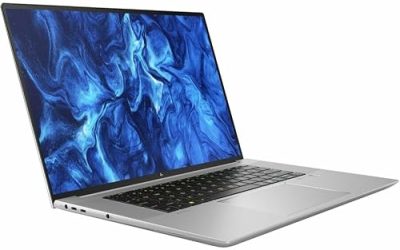
| HUION Kamvas Studio 16 Pen Computer |
| Check price on Amazon |
| XPPen Magic Drawing Pad 12.2 |
| Check price on Amazon |
 XPPen Magic Note Pad |
| Check price on Amazon |
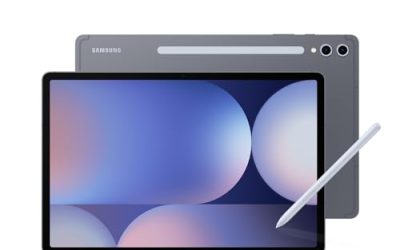
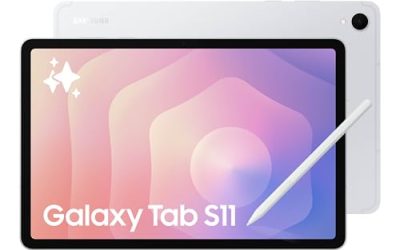
 Samsung Galaxy Tab S10 Ultra 256GB |
| Check price on Amazon |
Key takeaways
- Five standalone pen tablets compared for professional drawing and handwritten notes, with screen, storage and stylus specs from their Amazon pages.
Buying a drawing tablet computer for handwritten notes means choosing between three different machines wearing similar clothes: a full Windows pen computer, an Android drawing tablet built around its pen, or a note-first digital notebook. Pick wrong and you either carry desktop power you never open or end up annotating documents on a screen too small and a system that cannot run the software your work depends on.
This guide is for illustrators who sketch away from a desk, consultants and students who live in handwritten notes, and professionals who annotate documents in meetings all day. Every product below was picked from the names and specifications published on its Amazon page, and the specs quoted are the ones those listings actually state.
Quick Picks
As an Amazon Associate we earn from qualifying purchases
| Product | Best for | Key spec from title |
|---|---|---|
| Wacom MovinkPad Pro 14 | Large OLED drawing away from a desk | 14-inch OLED, no computer needed |
| HUION Kamvas Studio 16 Pen Computer | Full Windows software in one device | 15.8-inch 2.5K QHD touch screen |
| XPPen Magic Drawing Pad 12.2 | Paper-like sketching with a fine pen | 16,384 pressure levels, 12.2-inch screen |
| XPPen Magic Note Pad | Handwritten notes through a meeting day | 10.95-inch color digital notebook |
| Samsung Galaxy Tab S10 Ultra 256GB | One big tablet for notes, art and media | 14.6-inch AMOLED, S Pen included |
How to Choose
Start with the operating system and storage
The deepest split in this group is the system each tablet runs. The HUION Kamvas Studio 16 runs Windows 11 Pro with an Intel Core i7, 16GB of RAM and a 512GB SSD, so it opens the same desktop drawing and note programs you use at a desk. The other four run Android, which suits app-based sketching and note taking but not desktop software. Storage runs from 128GB on the Magic Note Pad to 512GB on the HUION, and only the Wacom listing mentions a microSD slot for expansion.
Match screen size and surface to the work
Screens here span 10.95 inches on the Magic Note Pad to 15.8 inches on the Kamvas Studio 16, and that gap changes how the tablet gets used. A larger panel gives sketching room and side-by-side space for a document plus notes, while the smaller note pad disappears into a meeting bag. Surface matters as much as size: the XPPen Magic Drawing Pad has a paper-like screen, the Wacom uses an anti-glare matte OLED at 2880 x 1800, and the Samsung relies on a glossy AMOLED touchscreen.
Compare the pen figures the listings actually state
Every pen in this group is included in the box, and the Wacom and XPPen models use battery-free pens that never need charging before a session. Stated pressure sensitivity differs sharply, though. Wacom lists 8,192 levels for the Pro Pen 3, while both XPPen tablets list 16,384 levels for their X3 Pro pencils. The HUION and Samsung listings do not publish a pressure figure at all, so treat any number you see repeated elsewhere with caution and compare only what each Amazon page confirms.
Check what the listing includes for daily carry
Small listing details decide how a tablet behaves across a working week. The XPPen Magic Note Pad ships with a magnetic folio and is sold for business, student and writing use, which tells you it is aimed at notes first. The Samsung Galaxy Tab S10 Ultra is a Wi-Fi only model, so it assumes you work where a network exists or plan around offline files. Look at the included components on each page, because a pen, folio or cable listed there is guaranteed, and anything missing becomes a second purchase.
The 5 Best Options
Wacom MovinkPad Pro 14
- Best for: Professional artists who want a large OLED drawing tablet that works without a computer.
- Screen: 14-inch OLED, 2880 x 1800, 120Hz
- Pen: Wacom Pro Pen 3, battery-free, EMR
- Pressure sensitivity: 8,192 levels
- Memory and storage: 12GB RAM, 256GB storage, expandable microSD slot
Professional artists who want a large OLED drawing tablet that works without a computer.
Check current availability and the live buy option before ordering, because the availability signals for this exact listing conflict.
The MovinkPad Pro 14 fits illustrators and designers who want a self-contained drawing surface that never has to be tethered to a laptop. Its 14-inch OLED panel is the largest Android screen in this group, and the battery-free Pro Pen 3 stays ready for quick sketches or long annotation sessions without a charge. With 256GB of storage plus a microSD slot, it suits professionals who keep large project files and handwritten notebooks on one device, and Android 15 keeps the setup app-based and simple for people who prefer a tablet workflow over desktop software.
HUION Kamvas Studio 16 Pen Computer
- Best for: Professionals who need Windows drawing and note software in a single standalone device.
- Screen: 15.8-inch 2.5K QHD touch screen
- Pen: Slim Pen PW550S included
- Pressure sensitivity: not stated on the Amazon listing
- Memory and storage: 16GB RAM, 512GB SSD
Professionals who need Windows drawing and note software in a single standalone device.
Confirm a live buy option before ordering, since recent records show no current Amazon price for this listing, and note that its pen pressure level is not stated.
The Kamvas Studio 16 is the pick for professionals whose drawing and note taking happen inside Windows programs rather than apps. It is a complete pen computer: a 15.8-inch 2.5K QHD touch screen, an Intel Core i7 processor, 16GB of RAM and a 512GB SSD running Windows 11 Pro, with the Slim Pen PW550S included. That makes it the natural choice for illustrators who need desktop software on the road, lecturers who mark up documents in full applications, and anyone replacing a laptop rather than adding a companion tablet.
XPPen Magic Drawing Pad 12.2
- Best for: Illustrators who want a paper-like screen and the highest pen pressure figure stated in this group.
- Screen: 12.2-inch LCD, 2160 x 1440, paper-like screen
- Pen: X3 Pro Slim Pencil, battery-free
- Pressure sensitivity: 16,384 levels
- Memory and storage: 8GB RAM, 256GB storage
Illustrators who want a paper-like screen and the highest pen pressure figure stated in this group.
Double-check the listing title before ordering, because similar XPPen drawing pads are sold under different ASINs for other regions.
The Magic Drawing Pad suits artists who want a paper-like drawing surface in a size they can carry anywhere. Its 12.2-inch screen is smaller than the Wacom and HUION panels, but the listing states 16,384 pressure levels for the battery-free X3 Pro Slim Pencil, the highest figure published in this group. Storage is 256GB with 8GB of RAM on Android 14, which covers app-based illustration, layered sketches and handwritten notebooks comfortably. It fits students and travelling illustrators who draw daily but do not need Windows software or a very large canvas.
XPPen Magic Note Pad
- Best for: Students and business users whose main job is handwritten notes, reading and meetings.
- Screen: 10.95-inch LCD, 1920 x 1200, 90Hz
- Pen: X3 Pro Pencil 2, battery-free; magnetic folio included
- Pressure sensitivity: 16,384 levels
- Memory and storage: 6GB RAM, 128GB storage
Students and business users whose main job is handwritten notes, reading and meetings.
Confirm the listing is live and current before ordering, because the listing information for this model is not recent.
The Magic Note Pad is built for people whose main output is handwriting rather than finished artwork. XPPen sells it as a 3 in 1 color digital notebook for writing, reading, meetings and study, and the listing names business, student and writing as its specific uses. The 10.95-inch screen keeps it light enough for a full day of classes or site visits, the battery-free X3 Pro Pencil 2 still offers 16,384 stated pressure levels for neat, responsive strokes, and a magnetic folio is included. With 128GB of storage, it is a dedicated note machine rather than a media tablet.
Samsung Galaxy Tab S10 Ultra 256GB
- Best for: Buyers who want one large AMOLED tablet for notes, drawing and everyday tablet tasks.
- Screen: 14.6-inch AMOLED touchscreen
- Pen: S Pen included
- Pressure sensitivity: not stated on the Amazon listing
- Memory and storage: 12GB RAM, 256GB storage
Buyers who want one large AMOLED tablet for notes, drawing and everyday tablet tasks.
Check availability before ordering, because stock signals for this exact US version conflict between sellers.
The Galaxy Tab S10 Ultra fits buyers who want one flagship tablet that handles notes, sketching and everything else. Its 14.6-inch AMOLED touchscreen is the second-largest screen here, the S Pen is included, and 256GB of storage with 12GB of RAM on Android 14 gives it room for large note libraries and drawing files. Because it is a general-purpose tablet first, it suits professionals who annotate documents and take handwritten notes as part of a wider tablet routine rather than as their only task. This is the US version, Wi-Fi only model.
Which One Fits Your Situation
You draw client work away from your desk
Choose the Wacom MovinkPad Pro 14 if a big, colour-rich canvas matters most, since its 14-inch OLED and microSD expansion hold large project files without a laptop nearby. If you would rather travel lighter and like a paper-like surface, the XPPen Magic Drawing Pad covers the same away-from-desk drawing in a smaller 12.2-inch body.
Your notes live inside Windows programs
Pick the HUION Kamvas Studio 16. It is the only Windows 11 Pro machine in this group, with an Intel Core i7, 16GB of RAM and a 512GB SSD, so the desktop drawing and document software you already use at a desk follows you into meetings, lectures and site visits unchanged.
Your day is meetings, classes and handwriting
Take the XPPen Magic Note Pad. It is sold specifically for writing, reading, meetings and study, its 10.95-inch screen is the easiest here to carry all day, and the included magnetic folio plus battery-free pencil make it the most note-focused option in this roundup.
You want one tablet for notes, art and media
Choose the Samsung Galaxy Tab S10 Ultra. The 14.6-inch AMOLED screen, included S Pen and 256GB of storage let a single device cover handwritten notes, sketching, reading and everyday tablet tasks, which suits buyers who do not want a dedicated drawing machine.
Common Mistakes
- Buying a tethered pen display by mistake: pen displays such as the ones in the Cintiq or Kamvas Pro lines need a separate computer, while every pick here is a standalone tablet computer.
- Treating pen pressure as a known figure on every listing: the HUION and Samsung pages do not state a level, so comparing them against the stated 8,192 and 16,384 figures is guesswork.
- Choosing on screen size alone and ignoring the operating system, then discovering your desktop drawing or note software does not run on Android.
- Forgetting storage expansion: only the Wacom listing here mentions a microSD slot, so the internal storage on the other four is all you get.
- Ordering a sibling variant instead of the exact listing checked, since several of these tablets are sold under different ASINs for other regions and configurations.
Frequently Asked Questions
Do these drawing tablet computers work without a computer?
Yes. All five picks are standalone devices with their own processors, storage and operating systems: four run Android and the HUION runs Windows 11 Pro. That separates them from pen displays, which are only screens and must stay connected to a separate computer before the pen does anything.
Which pick is best purely for handwritten notes?
The XPPen Magic Note Pad. It is sold as a digital notebook for writing, reading, meetings and study, its listing names business, student and writing as the intended uses, and the included magnetic folio suits carrying it between rooms. The others lean further toward drawing or general tablet work.
Why do two listings leave out pen pressure levels?
Because those Amazon pages simply do not publish the figure. The HUION Kamvas Studio 16 and Samsung Galaxy Tab S10 Ultra listings state their pens are included but give no pressure number, while Wacom states 8,192 levels and XPPen states 16,384. Compare only figures a listing confirms.
Can I add more storage later?
Among these five listings, only the Wacom MovinkPad Pro 14 mentions expansion, through a microSD slot alongside its 256GB of internal storage. The HUION is fixed at a 512GB SSD, the Samsung and XPPen Magic Drawing Pad at 256GB, and the Magic Note Pad at 128GB, as their listings state.
More from Amazon
Programs that pair well with the guide above. Offers and eligibility are set by Amazon and may change.
Set up recurring deliveries of everyday items on eligible products. Terms and savings are set by Amazon.
Explore Subscribe & SaveFree shipping on eligible items, Prime Video and more. Eligible new members can start with a free trial.
Start a Prime free trialAudiobooks and podcasts to listen to on the go. Eligible new members can start with a free trial.
Try Audible freeRead from a large library of eBooks and audiobooks on any device. Check Amazon for current plans.
Explore Kindle UnlimitedAs an Amazon Associate we earn from qualifying purchases.



Write Your Review
No reviews yet. Be the first to share your experience!